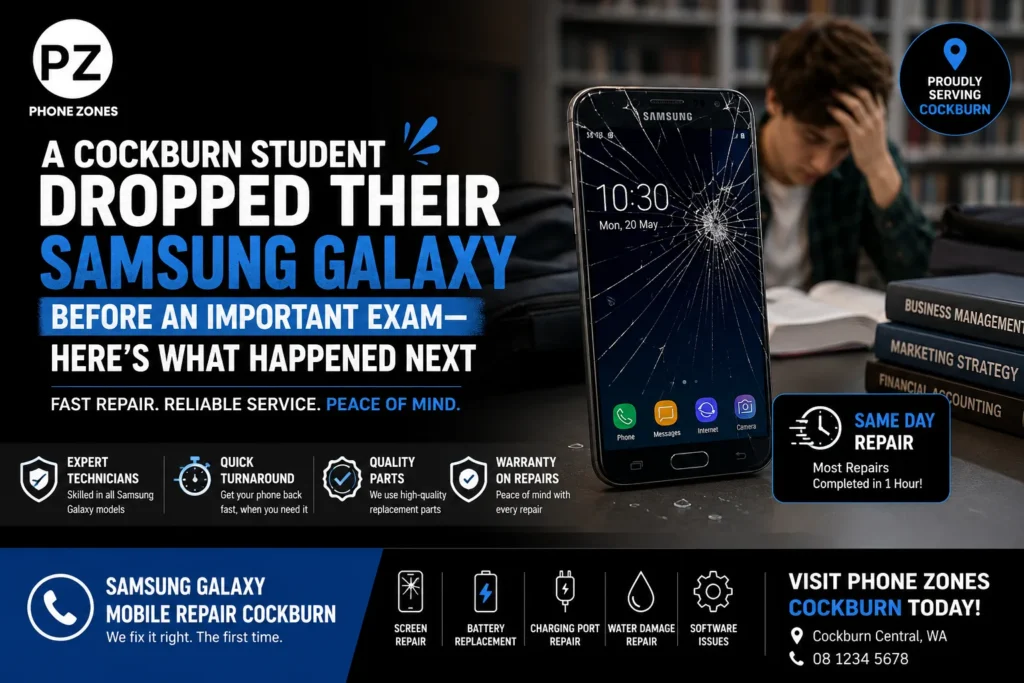
It was 7:42 a.m. on a Tuesday, and Maya was doing what most Cockburn students do before a big exam cramming last-minute notes while making toast, her phone sort of propped against the kettle. One knocked elbow later, her Samsung Galaxy hit the kitchen tiles face-down. She flipped it over, and her stomach dropped right along with it. A spiderweb of cracks ran corner to corner, and the touchscreen just wouldn’t respond to a single tap, not even a small one.
Her exam started in three hours. Her digital flashcards, her timetable, her ride confirmation with a friend, and that group chat about who was bringing calculators all sat locked behind a cracked Samsung screen, with a touchscreen that refused to cooperate. If this sounds familiar, you’re not alone. Screen damage is one of the most common reasons students and professionals across Cockburn walk into a mobile repair shop in a mild panic.
So this is Maya’s story, yeah, but it’s also kind of a practical map, because what she did in the next 30 minutes really mattered, like it was the shift between watching her data slip away and getting it back online before that exam bell.
What Actually Happens When You Drop a Samsung Galaxy
A drop rarely just cracks the glass. Depending on the angle, height, and surface, a fall can affect several layers of the phone at once:
- The outer glass — the visible cracks, chips, or shattering
- The digitizer — the layer beneath the glass that reads your touch input
- The display panel (OLED/AMOLED) — responsible for colour and image, which can show lines, dark patches, or flickering
- Internal components — the battery, charging port, or camera module can shift or loosen on impact
This is why two phones with an identical-looking crack can behave totally differently. One might still function fine under the broken glass. The other, like Maya’s, can lose touch response completely because the digitizer has come apart from the panel. Figuring out this little distinction matters more than it sounds, because it affects what type of repair is needed and how urgent the situation really is.
The First 5 Things to Do After a Drop (Before You Panic)
Maya’s flatmate, who’d cracked her own screen the year before, walked her through this checklist while she got dressed. It’s worth keeping handy for anyone with a Samsung Galaxy.
- Stop using the touchscreen immediately. Pressing on a cracked display can push glass shards deeper or worsen digitizer damage.
- Check for swelling or heat. A phone that’s warm to the touch or has a slightly bulging back may have battery damage a genuine safety concern, not just a cosmetic one.
- Back up what you can. If Wi-Fi or a data connection is still active, even limited touch response can be enough to trigger a cloud backup. Voice commands (“Hey Google, back up my phone”) can help when the screen won’t cooperate.
- Avoid DIY glue or tape fixes. Sealing cracked glass without addressing the digitizer or screen seal can trap moisture and cause corrosion later.
- Get a professional diagnostic before assuming the worst. A cracked screen looks dramatic, but it’s often the single cheapest and fastest fix in mobile repair as long as it’s assessed properly first.
Maya’s flatmate suggested one more thing: Phonezones, a walk-in mobile repair shop just around the corner, known locally for handling Samsung repairs fast.
Walking Into the Shop: What a Real Diagnostic Looks Like
At Phonezones, the technician didn’t just glance at the cracks. A proper phone diagnostics check typically covers:
| Check | What It Reveals |
| Touch response mapping | Identifies dead zones vs. full digitizer failure |
| Display test (colour, brightness, flicker) | Confirms if the OLED panel itself is damaged |
| Battery health scan | Flags swelling or capacity loss from impact |
| Charging port inspection | Detects bent pins or loose connections |
| Camera and sensor test | Checks for lens cracks or focus issues |
| Software boot check | Rules out data corruption separate from hardware |
For Maya, the diagnostic took under 15 minutes, and somehow it came back with good news. The AMOLED panel underneath was, uhh, undamaged. It wasn’t a motherboard thing at all— it was a cracked Samsung screen along with a digitiser replacement. Also, it was not some lost-data situation, so yeah, that part was fine.
Genuine Parts vs. Cheap Alternatives: Why It Matters
This is where a lot of people get tripped up, like totally unexpectedly. Not every repair shop uses genuine Samsung replacement parts, and the difference isn’t just about looks or surface; it’s more than cosmetic.
- Colour accuracy and touch sensitivity are often noticeably worse on aftermarket panels
- Water resistance ratings can be voided if seals aren’t replaced to Samsung’s specification
- Fingerprint sensors (especially under-display sensors on newer Galaxy models) frequently misread with third-party glass
- Long-term reliability — cheaper panels are more prone to premature flickering or touch drift
Before you book anything, do they use OEM or Samsung-certified parts? Ask it up front, you know, just like that, and a decent mobile repair shop in Cockburn should be straight about it, not dodgy. It’s a fair thing to ask alongside the quote, so you feel confident you’re getting the right replacements, not a random substitute.
Certified Technicians Change the Outcome
Certified phone repair technicians don’t just swap parts they kinda know the little quirks of every Galaxy generation. Samsung’s flagship and mid-range lines use different adhesive strengths, different frame tolerances, and in a few cases different screw layouts between models that came out just about a year apart. A technician trained on it reduces the risk of:
- Cracked frames from incorrect prying tools
- Loose components after reassembly
- Voided phone repair warranty coverage from non-standard procedures
For Maya, this meant the technician could tell just from the crack pattern and the phone’s model number roughly what was likely damaged before even opening it up.
Protecting Your Data Before, During, and After a Repair
Nothing rattles a student more than the thought of losing months of notes. Here’s what to know about Samsung Galaxy data protection during a repair:
- Screen and digitizer replacements rarely touch your storage or internal memory, your data typically stays intact
- Water damage repairs carry more risk, since corrosion can affect the storage chip
- Reputable shops back up accessible data before starting any repair that involves opening the device fully
- Samsung Cloud and Google account sync are your safety net, enabling automatic backup means even a total loss is recoverable
The technician confirmed Maya’s data was untouched by the repair type needed, but it was still a useful reminder to turn on auto-backup going forward something worth doing on any Samsung device, not just after a scare.
The Repair: What Actually Happened
Since it was a pretty straightforward screen and digitiser swap, with genuine parts that were already in stock, Phonezones could do a same-day Samsung repair. The phone was meant to be back to her in under two hours, which was nice. Maya used the downtime well too, she just borrowed a tablet, wrapped up her final round of revision, and grabbed the phone again on her way to the exam with 40 minutes in the bag.
This kind of quick turnaround repair is actually not that rare for typical issues if the shop keeps the right parts locally, rather than placing a reorder. It is one of the bigger differences between chain postal repair services and a local walk-in phone repair shop, you are not sending your handset off and then waiting a week for it to come back.
Beyond Cracked Screens: Other Common Samsung Galaxy Issues
Maya’s situation was a screen and touchscreen problem, but Cockburn’s local shop sees a wide range of Samsung issues regularly. Recognising the signs early can save both money and stress:
- Samsung battery replacement — needed when your phone drains unusually fast, shuts down at 20%+ battery, or the back panel feels warm/swollen
- Samsung charging port repair — signs include a loose-feeling cable, intermittent charging, or needing to hold the cable at an angle
- Samsung water damage repair — even brief exposure can cause corrosion days later; power off immediately and seek diagnostics rather than using rice or a hairdryer
- Samsung Galaxy back glass replacement — often overlooked, but a cracked back panel can affect wireless charging and structural integrity
- Samsung camera repair — blurry photos, a rattling sound, or a black screen when opening the camera app usually points to a dislodged lens or cracked camera glass
- Samsung Galaxy software repair — freezing, boot loops, or apps crashing repeatedly can sometimes be resolved without hardware replacement at all
Preventing the Next Drop: Practical Tips for Students and Professionals
A few habits go a long way in Samsung device maintenance, especially for anyone juggling a phone through a busy day:
- Use a case with raised edges around the screen and camera — even a basic one significantly reduces crack risk on a face-down drop
- Apply tempered glass, which absorbs impact and is far cheaper to replace than a full screen
- Avoid back pockets — one of the most common ways phones end up cracked or bent
- Enable “Find My Mobile” so a lost or stolen phone can be tracked or locked remotely
- Set up automatic cloud backup so a hardware issue never becomes a data emergency
- Get a case with a lanyard or wrist strap if you’re often walking, cycling, or carrying items one-handed
Choosing a Reliable Mobile Repair Service in Cockburn
Not every repair shop offers the same standard of service. When comparing options for Samsung phone repair in Cockburn, it’s worth checking for:
- Transparent, upfront pricing before work begins
- Genuine or OEM-grade parts, disclosed clearly
- A written phone repair warranty on parts and labour
- Same-day or walk-in availability for common repairs
- Willingness to run full phone diagnostics before quoting
A reliable mobile repair service should be able to answer these questions without hesitation if a shop is vague about parts or warranty terms, it’s worth asking more before booking.
The Result
Maya walked into her exam on time, phone in her bag with a fresh screen and a backup finally switched on. The whole experience drop ,panic , diagnostic , repair took under three hours from start to finish. What could have been a lost exam and a costly phone replacement turned into a same day fix, mostly because she knew to get a proper diagnostic rather than guessing at what happened, or doing some temporary patch job.
For students and professionals across Cockburn , the lesson isn’t really about phones. It’s more about knowing where to go, what questions to ask, and how a few smart first steps keep you calm, keep it from touching the screen again, check for swelling, back up what you can, buy you time and open your options when something goes wrong.
Frequently Asked Questions
The most common repairs cracked screens, battery replacement, and charging port issues can be completed the same day when a shop stocks genuine parts locally. Water damage or motherboard-level issues may take longer, since they often require deeper diagnostics before a repair timeline can be confirmed.
Typically no. Screen and digitiser replacements don’t involve the phone’s internal storage. Data risk is higher with water damage or motherboard repairs, which is why a reputable shop will back up accessible data before opening the device fully.
Pricing depends on the model, the extent of the damage, and whether genuine or aftermarket parts are used. Flagship models with curved AMOLED panels typically cost more to repair than mid-range devices. Always ask for a clear quote after diagnostics, not before.
For most drops, repair is significantly cheaper than replacement, often a fraction of the cost of a new device. Replacement usually only makes sense if the phone is several generations old, has repeated hardware failures, or the repair cost approaches the value of a newer used model.
Power it off immediately and don’t attempt to charge or turn it on again. Avoid the “bag of rice” method, which is largely ineffective and can push debris further into the device. Bring it in for professional diagnostics as soon as possible corrosion can develop over the following days even if the phone initially still turns on.
It can, depending on the manufacturer’s terms and whether Samsung-certified parts and procedures are used. A repair shop using genuine parts and proper procedures typically has a much smaller impact on warranty status than unauthorised, low-cost repairs. Ask your repair shop directly about this before booking.
Cracked glass, unresponsive touch, or visible lines/flickering point to screen or digitizer damage. Fast battery drain, unexpected shutdowns, or a warm, slightly swollen back panel point to battery issues. A professional diagnostic is the fastest way to confirm, since symptoms can sometimes overlap.
Two shifts stand out: growing demand for certified, OEM-grade parts as buyers become more aware of long-term reliability issues with cheap aftermarket components, and a rise in walk-in, same-day diagnostics as an alternative to slower postal repair services, particularly for students and professionals who can’t afford to be without a phone for a week.
Most walk-in shops can perform a diagnostic and quote without a booking, though calling ahead is useful for less common repairs (like specific camera modules or back glass) to confirm parts are in stock for a same-day turnaround.
Enabling automatic cloud backup (via Samsung Cloud or Google) means you’re always protected without thinking about it. If you prefer manual backups, doing so weekly or immediately before any situation with a higher damage risk, like travel or outdoor work, is a sensible habit.
Cracked screen, dead battery, or a phone that just won’t cooperate? Phonezones offers walk-in Samsung Galaxy repair in Cockburn with genuine parts, certified technicians, and same-day turnaround on most common repairs.