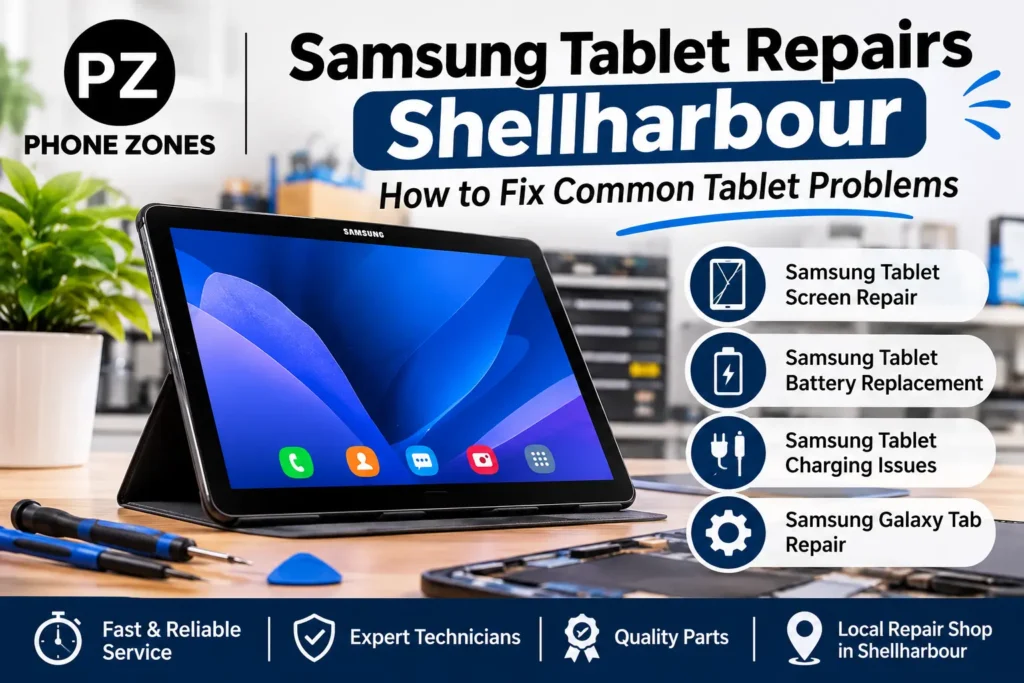
Samsung Tablet Repairs Shellharbour is one of our most common requests at Phone Zones. Whether you have a faulty battery, a broken screen after dropping it or a charging port that won’t charge your Samsung Galaxy Tab unless you are holding the cable at a specific angle, Samsung Tablets tend to pick up the common faults due to normal use. The good news is that many of these issues can be resolved and some issues you can even fix on your own without having to take your tablet to a technician. In this post we are going to cover some of the most common issues with the Samsung Galaxy Tab, their causes and when you should take your tablet to a technician to get it repaired.
Why Samsung Tablets Develop Problems
Samsung manufactures quality tablets, but they can still be dropped, left charging for too long, put in a hot car, or given to a child. If you have a Galaxy Tab that you use daily for streaming media, school, or business, your tablet will show its age just like anything else you use frequently.
Most faults fall into one of these groups:
- Physical damage from drops, pressure or liquid
- Battery wear that comes with age and charge cycles
- Charging faults caused by worn ports, cheap cables or debris
- Software issues such as failed updates, full storage or buggy apps
- Overheating from heavy use, poor ventilation or a failing battery
It is important to determine what category your issue falls into so that you can choose whether you want to do some tablet troubleshooting on your own or take your tablet to be repaired.
Common Samsung Tablet Problems, Causes and Solutions
| Problem | Likely Cause | Possible Solution |
| Cracked or shattered screen | Drop, impact or pressure in a bag | Samsung tablet screen replacement |
| Touchscreen not responding | Damaged digitiser, software glitch or screen protector issue | Restart, remove the protector, or get a Samsung tablet screen repair |
| Battery drains quickly | Ageing battery, background apps, high brightness | Check battery settings; book a Samsung tablet battery replacement if worn |
| Tablet won’t charge | Dirty or damaged port, faulty cable or adapter | Try another cable, clean the port carefully, or get the port repaired |
| Charging very slowly | Low-power adapter, worn cable, port wear | Use a genuine Samsung charger; have the port inspected |
| Tablet overheating | Heavy apps, case trapping heat, swollen battery | Remove the case, close apps; stop using it if the back is bulging |
| Stuck on Samsung logo | Failed update or corrupted software | Force restart, safe mode, or professional software repair |
| No sound or crackly audio | Blocked speakers, settings or hardware fault | Check settings, clean grilles, or have the speakers replaced |
| Liquid damage | Spills or water exposure | Power off right away and bring it in; don’t charge it |
| Lagging or freezing | Full storage, outdated software, too many apps | Clear storage, update, or factory reset after a backup |
1. Cracked or Unresponsive Screens
The number one reason people bring their Samsung tablets to us is for a broken screen. Even a small crack can spread and the broken glass can cause cuts in your fingers. Also, dust and moisture can get into the tablet through a crack.
Even when the glass is intact, the touchscreen may not work properly. This is because the digitiser, which is under the glass, has been damaged.
Things to try first:
- Restart the tablet to rule out a software freeze
- Take off the screen protector, as a lifted or dirty one can block touch
- Clean the screen with a soft microfibre cloth
If the glass is cracked, or if you see lines or black patches on the screen, or if you find that parts of the screen don’t work, you need a Samsung tablet screen replacement. Our technicians will replace the broken display and check that everything is working properly, including touch, brightness and colour.
2. Battery Draining Too Fast
A tablet’s battery is a slowly deteriorating item. After a few years of daily charge cycles, your Galaxy Tab might only be able to hold enough charge for half a day.
Signs your battery needs attention:
- The charge drops quickly even when you’re barely using it
- The tablet shuts down at 20% or 30%
- It only works while plugged in
- The back cover is lifting or the screen is being pushed up
Most important, if your battery swells, it’s dangerous. Don’t use or charge it and get your tablet in for Samsung tablet battery replacement as soon as possible.
To get more life out of a healthy battery:
- Turn down screen brightness or use adaptive brightness
- Close apps you aren’t using
- Turn on Samsung’s battery protection setting, which limits charging to protect battery health
- Avoid leaving the tablet in hot places like a car dashboard
Many customers know us for phone battery replacement, and the same experience applies to tablets. The process takes more care because tablet batteries are larger and usually glued in, so it’s a job best left to someone with the right tools.
3. Samsung Tablet Charging Issues
Sometimes the problem with a Samsung tablet not charging is easier to fix than you think.
Quick checks:
- Use a different cable and power adapter, ideally a genuine Samsung one
- Try a different power outlet
- Look inside the charging port with a torch for lint or dust
- Restart the tablet while it’s plugged in
Dust and lint can accumulate inside a USB-C port and prevent a charge cable from being fully inserted. To clean the port, be sure to turn your tablet off first. Also, use a non-metallic object to do the cleaning. Do not use a pin or paperclip in the port.
When the charge cable is loose in the port, or your tablet only charges when the cable is at a certain angle, or you see a moisture warning when the port is dry, it may be time for a repair of the tablet charging port. This is typically a much faster and more economical repair than replacing your tablet.
4. Overheating
Your tablet will become warm while playing games, streaming video, or while charging. It should not get too hot to hold comfortably.
Common causes include:
- Thick cases that trap heat
- Running demanding apps for long periods
- Using the tablet while it charges
- A failing or swollen battery
Your tablet will become warm while playing games, streaming video, or while charging. It should not get too hot to hold comfortably.
5. Software Problems, Freezing and Boot Loops
Some problems with tablets aren’t physical. If the tablet is freezing, rebooting itself or won’t get past the Samsung logo, then it is probably a software problem.
Tablet troubleshooting steps to try:
- Force restart: Hold the Power and Volume Down buttons together for about 10 seconds
- Free up storage: Delete old downloads, videos and apps you don’t use
- Update software: Go to Settings > Software update
- Try safe mode: This disables third-party apps so you can check whether one of them is the cause
- Factory reset: Only as a last resort, and only after backing up your files
If your tablet won’t boot at all, don’t keep forcing resets. Bring it in. We may be able to fix the software without wiping your photos and documents.
6. Liquid Damage
Most of the Galaxy Tab tablets are not waterproof, so spilling a drink or dropping the tablet in a bath will cause problems, either right away or even weeks later, as the corrosion sets in.
If your tablet gets wet:
- Turn it off immediately
- Don’t charge it
- Don’t use a hair dryer, which can push moisture further in
- Skip the bag of rice, as it doesn’t remove moisture from inside the device
- Bring it to a tablet repair shop as soon as possible
The sooner a technician opens and cleans the tablet, the better the chance of saving it.
When to Choose Professional Samsung Tablet Repair Services
Some repairs can be done at home, while others require the right tools and equipment along with the right spare parts and experience. If you take a tablet apart without being properly trained you could easily damage it beyond repair (screens, ribbon cables and batteries can all be easily damaged).
Book a professional repair if:
- The screen is cracked, flickering or showing lines
- The battery is swollen or the tablet won’t hold a charge
- The charging port is loose or damaged
- The tablet has been exposed to liquid
- It won’t turn on or boot past the logo
- You’ve tried basic troubleshooting and nothing has worked
Why Locals Choose Phonezones for Galaxy Tab Repair
Phonezones has been helping customers around Shellharbour Square with their phones, tablets and accessories, and Samsung Galaxy Tab repair is one of the services we provide regularly. Customers that come to Phonezones for their phone repair Shellharbour don’t often realise that we work on tablets as much as we do.
What you can expect:
- A proper diagnosis first: We find the actual fault before recommending a repair
- Clear quotes: You’ll know the cost before any work starts
- Quality parts: We use parts that suit your model and pass our testing
- Quick turnaround: Many screen, battery and port repairs can be done quickly, depending on the model and parts availability
- Honest advice: If a repair isn’t worth it for an older tablet, we’ll say so
When you need a quick fix and don’t have the time to send your tablet off for repair, you can save a whole lot of time and stress by contacting our mobile repair specialists who repair tablets as part of their everyday work. As an electronic device repair shop, we also repair phones, so why not get that cracked phone screen or phone battery replacement sorted while you’re here too?
Tips to Keep Your Samsung Tablet in Good Shape
A bit of care goes a long way:
- Use a sturdy case and a tempered glass screen protector
- Charge with genuine or certified cables and adapters
- Avoid draining the battery to 0% often
- Keep the tablet out of direct sun and hot cars
- Install software updates when they’re released
- Back up your files regularly to Samsung Cloud, Google Drive or a computer
- Clean the charging port gently every few months
Final Thoughts
The vast majority of problems affecting Samsung tablets, from cracked tablet screens to tablet battery issues can be fixed without the need to purchase a new device. Give the simple solutions outlined in this guide a try and if you find that you are experiencing physical damage or ongoing issues, it’s best to have your Samsung tablet looked at before it gets any worse.
Looking for Samsung Tablet Repairs Shellharbour? Come down to Phonezones at Shellharbour Square and let us repair your Samsung Galaxy Tab. All you need to do is tell us what’s wrong and we’ll fix it for you.
Frequently Asked Questions
It depends on your model and whether the part is in stock. Many Samsung tablet screen repairs can be finished quickly, sometimes on the same day. Newer or less common Galaxy Tab models may need a part ordered in. When you bring your tablet to Phonez
ones, we’ll check it and give you a realistic timeframe before any work starts.
For most cracked screens, worn batteries and charging port faults, a repair costs much less than a new tablet. It usually makes sense if your tablet is only a few years old and still runs the apps you need. If it’s very old, has several faults at once or has bad liquid damage, a replacement might be better value. We’ll give you an honest opinion either way.
Look for a battery that drains quickly, a tablet that shuts down while it still shows some charge, or one that only works when plugged in. A swollen battery is the most serious sign. If the back cover is lifting or the screen is being pushed up, stop using the tablet and don’t charge it. Bring it in for a Samsung tablet battery replacement as soon as you can.
The most common causes are a faulty cable, a low-powered adapter, or lint and dust packed into the charging port. Try a different genuine Samsung cable and charger first, then look inside the port with a torch. If the cable feels loose or the tablet only charges at certain angles, the port is probably worn and needs repair. A charging port repair is usually quick and affordable.
Often, yes. Many tablets that won’t power on have a fixable fault, like a dead battery, a damaged charging port or a software problem, and the data stored inside is still fine. Don’t keep forcing resets or try a factory reset, because a reset wipes your files. Bring the tablet in so we can work out the cause and try to keep your photos and documents.
Yes. As well as Samsung tablet repairs in Shellharbour, Phonezones repairs phones and other devices. You can get a cracked phone screen fixed or a phone battery replaced on the same visit as your tablet repair. Visit us at Shellharbour Square for help with any of your devices.
About the Author
Written by the Phonezones Repair Team
This article was written as questions regarding Samsung tablets are something we get asked about regularly here at our store. It can be difficult to know if the problem with your device is repairable, and even if it is, it might be difficult to determine if it’s worth it, or if you’re doing something wrong. It’s common for people to just put up with a cracked screen or battery problems on their tablet for months, assuming the problem is too difficult to fix, or that it would cost too much.
We at Phone Zones decided to tackle this topic as we thought it would be helpful to the Shellharbour community to have a better understanding of some of the most common problems that people face with their Samsung tablets. Not only that, but we’ll take a look at which of these issues you might be able to solve yourself, and which are better off being handled by a professional repair service. We know what we’re talking about, as we deal with these repairs in our shop everyday, and we’d be more than happy to help if our suggestions aren’t helpful.