You drop your iPhone at Shellharbour Square. Upon picking up the phone, you notice there’s a cracked screen. Most iPhone users have gone through a similar experience. The good thing is that an iPhone screen replacement lets you replace only the screen and restore the original capabilities of your phone. In this article, we will explain what are the common problems with the iPhone screen as well as what causes them. You will know how to choose the right repair service for your iPhone depending on the budget and the problem diagnosis after reading it.
Why iPhone Screens Are Worth Repairing Properly
The screen of an iPhone is not merely a piece of glass. This is a layered assembly including an outer glass layer on top, a touchscreen layer, and a display layer underneath. In newer models starting with the iPhone X and later, the phone uses OLED panels instead, while the iPhone XR, the iPhone 11, and the iPhone SE use LCD panels. These layers are permanently stuck together; therefore, any damage to one layer may cause other layers to fail in succession.
That’s why a quality iPhone screen repair matters. A poorly fitted screen can cause:
Weaker brightness and duller colours
Touch input that lags or misses taps
Faster battery drain
Gaps where dust and moisture get inside
Choosing a professional mobile phone repair service means the parts and fitting suit your exact model.
Common iPhone Screen Problems and What Causes Them
Cracked or Shattered Glass
This type of iPhone screen failure is the most common one. A drop on a hard surface, hitting the phone, or pressing it in the back pocket are some of the possibilities that can crack the screen. Furthermore, even a small chip in the corner can grow, especially if the phone constantly heats and cools during the day.
A cracked screen is not only an appearance issue. The sharp edges can cut your fingers, and the cracks allow water and dirt to get in. Thus, fast iPhone cracked screen repair is important to prevent a minor issue from becoming a serious one.
iPhone Touch Screen Not Working
Sometimes the glass looks fine, but the phone won’t respond to your fingers. If you’re dealing with an iPhone touch screen not working, the usual causes are:
- Damage to the touch layer from a drop
- A loose or damaged display connector inside the phone
- Moisture getting under the screen
- A cheap replacement screen fitted earlier that has started to fail
Before booking a repair, try a simple restart and remove any thick screen protector. If the touch problem stays, the screen assembly probably needs attention.
Ghost Touch
Ghost touch is when your iPhone acts as though someone is tapping the screen. Apps open by themselves, text gets typed, or the phone scrolls without you touching it. It’s often caused by a damaged touch layer, a faulty aftermarket screen, or pressure on the display from a bent frame.
Lines, Spots and Discolouration
It is noticed that the signs of damage on the display panel are green or pink lines, black spots that appear on the screen, as well as patches of dead pixels. In such a case as the OLED iPhone, the presence of a black part enlarging during several days is a very serious signal. In this case, it is necessary to replace the display of the iPhone because there is no other way to solve the problem with the panel.
Black Screen with the Phone Still On
While you may hear notifications and feel your phone vibrate, the screen may not light up. This usually proves that something is wrong with the display or that the display cable has become detached as a result of dropping the phone. A technician will be able to determine quickly whether the screen itself is the issue or whether another component needs repair or replacement.
Flickering or Dim Display
A screen that flickers, dims without reason, or shows a yellow tint may have internal damage or a faulty replacement part. Flickering often gets worse over time, so it’s best to have it checked early.
Professional Repair Solutions for iPhone Screen Problems
Proper Diagnosis First
Good phone repair service starts with a thorough inspection rather than guesswork. Technicians usually check the touchscreen response, display output, Face ID, Touch ID, and the cameras and sensors located at the top of the phone and establish the source of the failure before customers pay for the new screen.
Choosing the Right Replacement Part
Different replacement screens differ from one another. The quality of parts can differ. This difference shows up in terms of brightness, color accuracy, and response when you touch the screen. A good repairman shall explain the options available for your model and the differences between the options so that you can make any choices based on clear information available to you.
You should know that on iPhone 11 and recent models, a screen not made by Apple may generate a “Non-genuine display” or “Important Display Message” in Settings.
Careful Fitting and Sealing
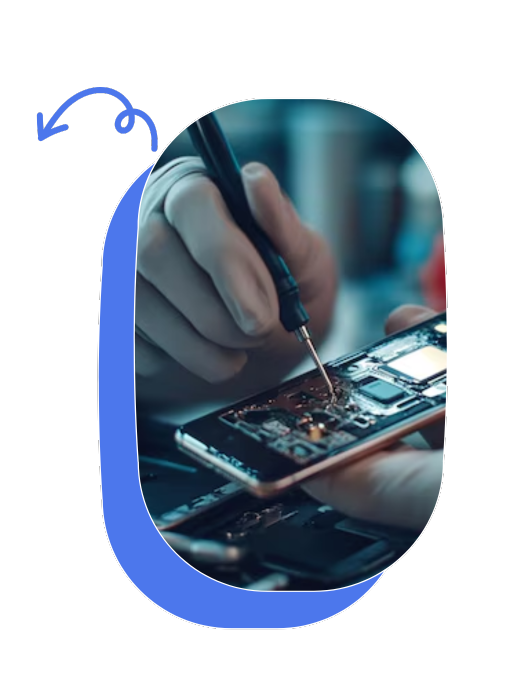
In an iPhone screen replacement process, the technician will take the phone apart and disconnect the battery. Then, the technician will remove the broken screen before installing the new one. It is important to take small parts such as the earpiece speaker and sensors from the damaged screen and transfer them to the new one. Finally, the phone is sealed again to keep out any dust and moisture.
Testing Before Handover
Once the new screen is in place, the technician tests every function one more time. This includes checking the touch response across the whole display, the brightness levels, True Tone on supported models, the front camera, the proximity sensor, and Face ID. Only after everything passes these checks is the phone handed back, so you leave with a device that works exactly the way it should.
How Long Does an iPhone Screen Replacement Take?
Commonly utilized devices are thus repaired within a few hours and for most people this is adequately understood as a fast fix mobile repair solution. You leave your phone, possibly spend some time shopping, and collect your repaired device later the same day. For not that widely adopted models, or the ones that are damaged beyond a simple screen replacement process, repairs may take longer.
Screen Problems Aren’t Just an iPhone Issue
The dangers of broken phone screens apply to Android as well. A Samsung screen replacement requires similar steps, although some Samsung Galaxy models with rounded edges and built-in folds require additional precautions. However, the screen repair for all types of smartphones stays the same: correct diagnosis, appropriate spare parts, installation, and thorough testing.
Tips to Protect Your Phone Screen
A few simple habits can reduce the chance of needing another phone screen replacement:
- Use a tempered glass screen protector
- Choose a case with raised edges around the screen
- Avoid keeping your phone in a back pocket
- Don’t leave your phone on the car dashboard in the sun
- Get small chips checked before they spread
Why Choose Local Phone Repair in Shellharbour
If your mobile device stops working, waiting for it to arrive back from a mail-in service isn’t always ideal. Instead, local telephone repair shops in Shellharbour make sure that you are able to talk to the technician directly, so you can ask any questions regarding the repair process and likely pick your device up the same afternoon. Another benefit of the local shop is that if there is any post-issue concern, there is somewhere to go and address it.
At PhoneZones, your trusted choice for phone repair Shellharbour locals rely on, we can help with mobile repairs for devices like iPhones, Samsung smartphones, and other well-known devices. We will walk you through the problem at hand before beginning any repairs.
Frequently Asked Questions About iPhone Screen Replacement
If your screen is cracked, has lines or black spots, doesn’t respond to touch, or stays black while the phone is on, it probably needs a screen replacement.
You can for a short time, but it isn’t recommended. Cracks can spread, cut your fingers, and let moisture and dust inside, which may damage other parts.
A screen repair doesn’t normally affect your data. Backing up your iPhone to iCloud or a computer before any repair is still a good idea.
When it’s done correctly, Face ID should keep working after a screen replacement. A skilled technician handles the sensors carefully and tests Face ID before returning your phone.
In most cases, they mean the same thing. On modern iPhones, the glass, touch layer, and display are bonded together, so the whole assembly is usually replaced as one part.
A drop can damage the touch layer or loosen the display connector inside the phone. A technician can check which part is at fault and recommend the right fix.
Yes. PhoneZones handles Samsung screen replacement along with iPhone and other smartphone repairs.
About the Author
The PhoneZones team at Shellharbour Square was responsible for writing this article. We decided to address this topic because repairs for broken and damaged iPhone screens are among the most frequent services we provide. In many cases, customers come to us with questions surrounding the repair of their phone: Is it worth repairing? What caused it? What to expect from the repair process? This guide aims to provide answers to the frequently asked questions, assist readers in identifying the potential for screen damage, and know how to pick a legitimate and trustworthy repair service. Should your device require repair, feel free to come by our store, and we will be happy to assist you in determining your options.